Read our Google Birdeye Reviews
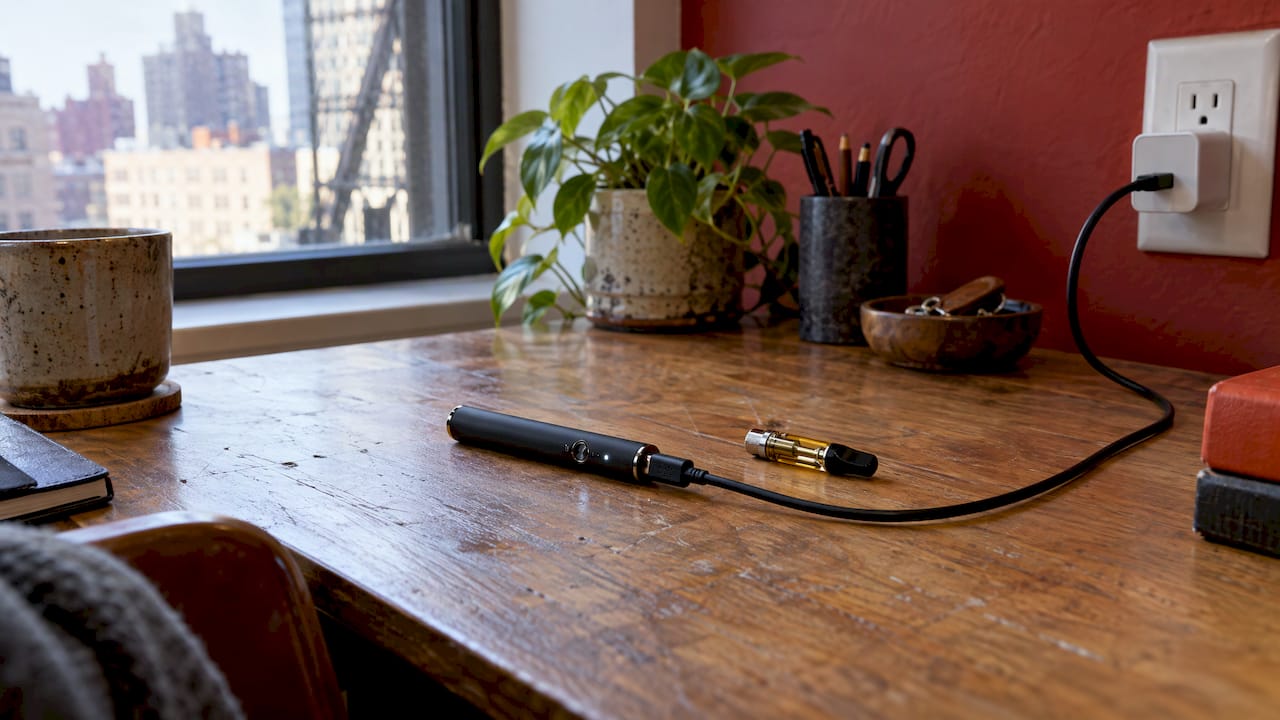
To charge a 510 battery, use the charger that came with it: screw the battery onto the threaded end of its USB charger, or plug the supplied cable into its port, then connect to a computer USB port or a basic wall adapter. Unplug when the light says it is full. Most batteries take somewhere between 30 minutes and 2 hours. The details that matter are which charger you use and what the light is telling you, and both are below. If you would rather start with a fresh battery that ships ready to go, our vape accessories page lists the batteries we carry for NYC delivery.
TL;DR
- Use the charger or cable that came with your battery. A matching plug or thread does not mean a charger is right for it.
- Plug into a computer USB port or a basic low-power wall adapter, never a “fast charge” brick.
- Light colors are set by each manufacturer. Red usually means charging and green or off usually means full, but check your model’s manual.
- Expect roughly 30 minutes to 2 hours, depending on battery capacity.
- If it will not charge, clean the contacts, swap the cable and the power source, and retire any battery that is swollen, cracked or hot.
Table of Contents
- What a 510 battery is, and why charging it is different
- The three charger types you will run into
- How to charge a 510 battery: the routine
- What the light colors mean
- How long a 510 battery takes to charge
- When your 510 battery won’t charge
- Can you charge and use it at the same time?
- What about disposables?
- Choosing a battery that is easy to live with
- Order the battery and the cart together
- Perspective
- FAQ
- Sources
What a 510 battery is, and why charging it is different
The “510” in the name describes the screw thread where a cartridge attaches. It is a physical connection standard, nothing more. That is why a battery from one maker will usually thread into a cartridge from another. If you want the full story of the thread, we explain it in 510 thread explained.
The thread says nothing about how the battery charges. That part is up to the manufacturer, and it is the reason two batteries that look alike can charge in different ways. Some charge through a port on the bottom. Some charge through a dongle that screws onto the same thread your cartridge uses. Some do both.
CCELL’s battery FAQ shows how much this varies inside one brand. Its SILO and PALM batteries charge with a Micro-USB cable into the bottom port, while its M3 and M3B charge through a USB adaptor attached to the top after you remove the cartridge. Joyetech’s FAQ, by contrast, tells users to screw the threaded side of the battery onto the USB charger and plug that into a wall adapter or computer.
So the first step is always to look at your battery. Is there a port? Is there a charging dongle in the box? Whichever you have is the one to use.
The three charger types you will run into
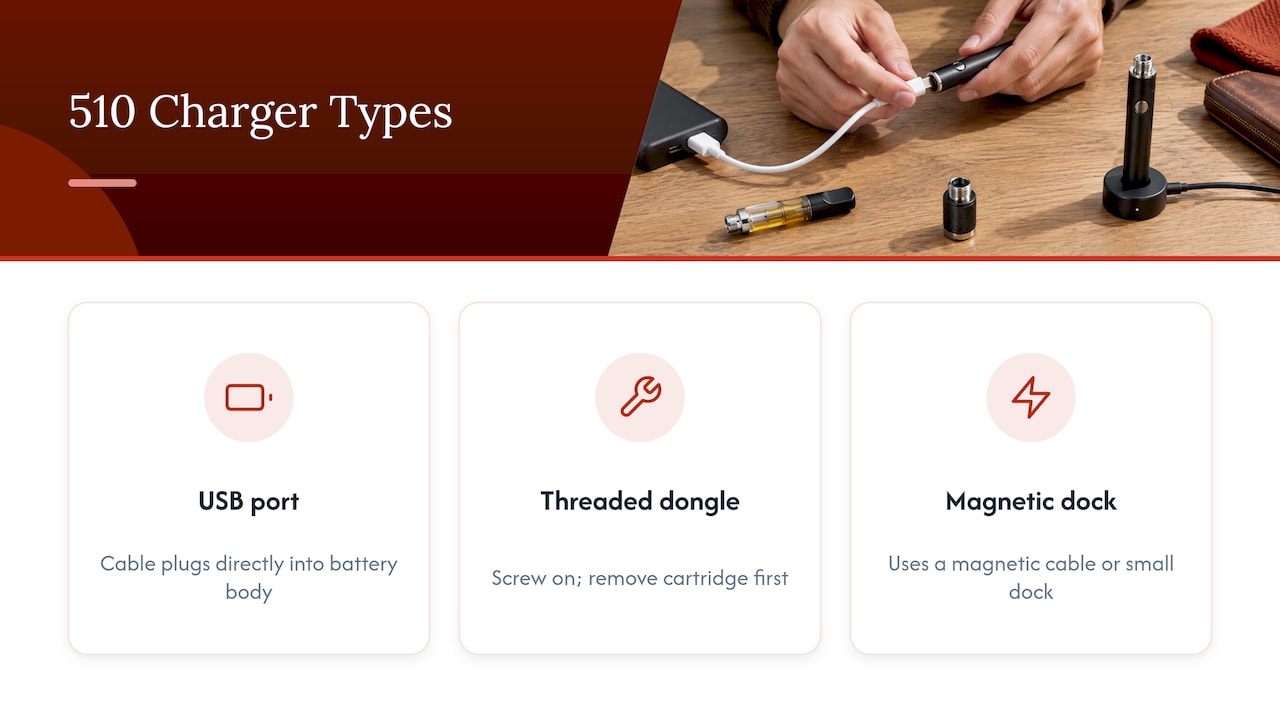
USB port batteries. You plug a cable straight into the battery body. The port is usually USB-C on newer batteries and Micro-USB on older ones. This is the simplest setup: the cartridge can stay off, the cable goes in, and you are done.
Threaded dongle chargers. A small adapter with a 510 thread on one end and a USB plug on the other. You screw the battery onto the thread, then plug the USB end into power. Take the cartridge off first, since the thread is occupied by the charger.
Magnetic or dock chargers. Some batteries ship with a magnetic cable or a small dock. They work like the dongle, but the connection is a magnet instead of a thread.
None of these is interchangeable by default. A battery with a USB port does not necessarily charge through its threads, and a threaded-only battery cannot accept a cable it was not built for. If your original charger is lost or broken, the safest path is a replacement made for your specific battery, not one that merely fits.
How to charge a 510 battery: the routine
- Remove the cartridge. For dongle-style charging it is required, and for port charging it keeps oil away from the contacts. Store the cart upright and cool; our guide to keeping vape carts potent covers that.
- Turn the battery off if it has a power switch. Many 510 batteries turn off with five quick presses of the button. Check your manual, because not every model uses that pattern.
- Inspect the cable and charger. Look for fraying, bent contacts, cracks or discoloration. Replace a damaged one instead of trying to prop it into position.
- Pick the power source. A computer USB port or a simple wall adapter is the right choice. Skip phone and laptop “fast” chargers. Fast-charge standards raise the voltage above the 5 volts these small batteries are designed for, and the battery has no way to ask for less.
- Connect. For a dongle, plug the charger into power first, then thread the battery on gently. For a port, plug the cable into the battery and then into power. Don’t force anything: if the thread does not turn easily, it is the wrong charger.
- Watch for the light. A steady red or amber light normally means charging has started. If nothing lights up, give a fully drained battery 10 to 15 minutes before you assume it is dead.
- Unplug when the light says full. Built-in protection is designed to prevent overcharging, but there is no reason to leave a battery on the charger for hours.
Where you charge matters too. The Maryland State Fire Marshal’s lithium-ion commission report lists best practices drawn from several agencies: use only manufacturer-supplied chargers, charge in a ventilated space away from where you sleep and away from exits, and avoid heat, deep discharge, short circuits and physical damage. In practice, that means a hard, flat, visible surface, not under a pillow, not on a couch cushion, and not while you are asleep. CCELL’s own Palm Pro manual says the same thing in plain terms: do not leave it charging unattended or overnight.
For more on handling lithium batteries, see our vape battery safety rules.
What the light colors mean
There is no universal standard. Because the 510 thread only defines the physical fit, every manufacturer picks its own colors and blink counts. What follows are common patterns, not guarantees.
| Light | What it usually means |
|---|---|
| Solid red | Charging |
| Solid green, white, or light off | Fully charged |
| Red blinks while in use | Low battery |
| Blinking green or white on the charger | Poor connection |
| No light at all | Not charging, or already full |
Here is how that looks on real devices. The CCELL Palm Pro manual says all three light bars blink three times when charging is complete, and blink five times when the charging cable is detached. On the CCELL FAQ, the PALM, SILO and M3 show a full charge when the LED blinks 20 times and fades out, while the M3B holds a green indicator when complete. Two batteries, two different ways of saying “done.”
Blink counts often matter more than color. A pattern can mean a cartridge that is not seated properly, a short-circuit protection trip, or a cartridge resistance outside the battery’s range, none of which is about charge level. If your battery is blinking and you are not sure why, our blink timing guide walks through the common fixes.
The lesson: when in doubt, trust the manual for your exact model over any general chart, including this one.
How long a 510 battery takes to charge
CCELL’s FAQ puts typical charge time at 30 minutes to 2 hours depending on capacity and port, and its Palm Pro manual gives about 90 minutes for a full USB-C charge. Capacity (the mAh number on the battery) is the biggest factor. A rough rule of thumb is that charge time equals battery capacity divided by the charger’s output.
| Battery size | Typical full charge |
|---|---|
| Slim pens, about 280 to 350 mAh | 30 to 60 minutes |
| Mid-size, about 400 to 500 mAh | 1 to 1.5 hours |
| Larger, about 550 to 650 mAh and up | 1.5 to 2 hours or more |
Those ranges are general estimates, and your own battery’s manual is the number to go by. A few things stretch the time:
- Weak power source. A computer USB port delivers a steady, lower-power charge, which is slower but gentle.
- Temperature. Very hot or very cold rooms slow charging. Charge at room temperature.
- Deeply drained cells. A battery that has sat empty may need a few minutes before any light shows.
- The last stretch. Lithium-ion cells taper off near full, so the final 10 percent takes longer than the first.
If you want to understand what capacity actually buys you in use, we break it down in what a vape battery’s mAh really means.
Use the indicator, not the clock, as your signal that charging is finished. Timing is a guide; the light is the answer.
When your 510 battery won’t charge
Most of the time this is a contact problem, not a dead battery. Work through these in order, stopping when it starts charging.
- Check whether it actually needs a charge. A full battery may show no light at all, which looks exactly like a dead one.
- Swap the cable. Use one you know works.
- Swap the power source. Try a computer USB port or a different basic adapter.
- Clean the contacts. Oil from a leaking cartridge can coat the center pin of the 510 thread and block the connection, and in some designs read as a short. Dip a cotton swab in rubbing alcohol, wipe the threads and center pin, and let everything dry completely before connecting. For a charging port, a wooden toothpick works for lint. Never use metal tools.
- Retry without the cartridge. With the cart off, the battery can’t register a bad resistance reading from it.
- Wait. A fully drained battery may need 10 to 15 minutes connected before a light appears. If your dongle charger seems not to recognize the battery, plug the charger in first, then thread the battery on.
If none of that works, the cell or the charging circuit has likely failed. Don’t open the shell to investigate. Retire the battery if it is swollen, leaking, cracked, dented, or unusually hot, and stop charging it right away. If a battery ever smokes or catches fire, move away from it and call 911.
One habit that prevents many of these cases: don’t store a battery fully empty for months. A deeply discharged cell can fall below the voltage the charger will wake.
Can you charge and use it at the same time?
We get this question often, usually about pod-style devices. The short version is that it depends on the model, and your manual decides. We cover one popular example in hitting a STIIIZY while it charges. For standard 510 batteries, the safest habit is to let the battery charge on its own, cartridge off, and use it afterward.
What about disposables?
A disposable vape can be recharged only if it has a charging port. Portless disposables are single-use, and forcing power into them risks a swollen or bursting battery, because they lack the protection a rechargeable 510 battery is built with, according to this Canadian explainer. A 510 setup is different by design: you keep the battery, recharge it many times, and swap in new carts. That is also why a good 510 battery pays for itself over several carts.
Choosing a battery that is easy to live with
A battery you charge correctly lasts longer, so the buying decision and the charging routine go together. A few things make daily life simpler:
- A port you can charge without removing anything awkward. USB-C is the newer connector on current batteries.
- A capacity that matches how often you vape. Bigger cells last longer between charges and take longer to fill.
- Adjustable voltage, if you want to fine-tune flavor and heat. Our guide to raising voltage in small steps explains how to do it without scorching a cart.
We carry batteries for these needs, including the Alien Labs 510 variable voltage battery and the Connected Cannabis Co. 510 thread battery. Both are listed as variable voltage. Keep the charger from the box with the battery, since that is the one made for it.
Order the battery and the cart together
If your battery is worn out or the charger has gone missing, we can bring a replacement to you. High Fashion Smokes & Prints has served New York City since 2011, with same-day delivery of lab-tested vapes, carts, flower, edibles, concentrates and accessories. Our delivery fees start from $8 in Queens and from $12 in Manhattan and the Bronx. Orders go through day and night menus with secure age verification, and you can follow your delivery. You can browse the full menu on our site, and see when you can order on our NYC delivery hours page.

Planning ahead helps: our page on weed delivery times explains how to schedule before the evening rush, so a battery arrives before yours runs out.
Perspective
We have been delivering across New York City since 2011, and the most common battery trouble we hear about is not a dead battery. It is the wrong charger, a leaked cart blocking the contacts, or a battery left plugged in overnight.
Our view is simple. The battery and its original charger are a pair. Treat them that way: keep the cable in the same drawer, charge on a hard surface where you can see it, and unplug when the light turns. That habit protects your battery and your home.
It is also why we pair tested carts with batteries built for them. A good cart in a well-matched battery tastes better, lasts longer and is easier to live with, and that is the experience we want every customer in the five boroughs to have.
Jake
FAQ
What charger does a 510 battery use?
The one it shipped with. Depending on the model, that is a USB cable into a port on the battery, or a small dongle with a 510 thread that the battery screws onto. A charger that merely fits is not necessarily safe for your battery, so if yours is lost, replace it with one made for that specific battery.
How do I know when my 510 battery is fully charged?
Watch the light. On many batteries it goes from red to green, turns off, or changes from blinking to solid, but patterns vary by manufacturer. Some CCELL models, for example, blink a set number of times and fade out. Your manual defines the signal for your model, and the light is a better guide than a timer.
Can I use my phone charger?
A basic, low-power 5-volt adapter or a computer USB port is the right kind of source. Avoid fast-charging phone and laptop adapters, since they are built to deliver higher voltages that small vape batteries are not designed for. When you have the original cable, use the adapter it was meant to plug into.
Why won’t my 510 battery charge?
Usually it is a dirty contact, a worn cable, or a battery that sat empty for too long. Clean the threads and center pin with a cotton swab and rubbing alcohol, let it dry fully, then try a different cable and power source. If the battery is swollen, cracked, leaking or hot, stop using it and replace it.
Can I recharge a disposable vape?
Only if it has a charging port. Disposables without one are single-use, and forcing power into them can cause the battery to swell or catch fire. A 510 battery is the reusable option, built to be charged again and again.
Sources
- CCELL 510 thread battery FAQ
- Joyetech: How to charge the 510 battery
- CCELL Palm Pro manual, ManualsLib
- Maryland State Fire Marshal, Commission to Advance Lithium-Ion
- How to recharge a disposable vape pen