Read our Google Birdeye Reviews
A blinking 510 battery usually means one of a few fixable things: it needs a charge, the connection between battery and cartridge is dirty or loose, or the battery’s protection circuit tripped from a long draw or a short. Start by checking the charge level, wiping the threads clean, and swapping in a cartridge you know works. Blink codes differ by manufacturer, so count the flashes and note exactly when they happen before you assume the worst.
TL;DR:
- Most blinking issues are caused by dirty connections, the device being off, or the battery needing a recharge, and are resolved by simple troubleshooting steps.
- The timing of the blink pattern—such as during charging, inhaling, or after a long draw—provides more diagnostic detail than the number of flashes alone.
- If the battery remains hot, swollen, or leaks, it must be replaced immediately, as continuing to use damaged cells poses safety risks.
- Proper maintenance, like regular cleaning of threads and avoiding overtightening, can prevent most blinking problems over time.
- When a battery no longer accepts a charge or shows physical damage, safe disposal and replacement with tested devices are recommended.
Table of Contents
- Common meanings of blinking lights on 510 batteries
- Three quick fixes that solve most blinking problems
- Diagnose by timing and behavior: what the blink pattern and context tell you
- When the blinking means the battery should be replaced (and safe disposal)
- Preventive care: how to avoid blinking problems in the future
- How High Fashion Smokes & Prints approaches battery safety and replacements
- What this troubleshooting process gets wrong in most guides
- Need a verified replacement or a tested cartridge?
- Sources
- FAQ
Common meanings of blinking lights on 510 batteries
Most 510-thread batteries use blinking lights as a basic status language, since they lack a screen. The trouble is that no two manufacturers agree on the dictionary. A blinking light can mean several different things, and the exact meaning varies by device, according to Innokin’s troubleshooting guide. A blink alone does not prove the battery is broken.
The most common meanings fall into five categories:
- Low battery: a common pattern is repeated flashes when you press the button or try to inhale, warning you to charge before use.
- Connection or dirty threads: buildup of oil or debris on the 510 pin can interrupt the circuit and trigger a warning blink.
- Short circuit protection: the battery detects an electrical fault, often from a damaged cartridge or moisture, and blinks rapidly to shut itself down.
- Auto-shutoff from a long draw or overheating: the battery cuts power mid-hit and blinks to signal it needs to cool.
- Locked, powered-off, or status modes: some blinking is not an error at all, just a confirmation that the device is locked, on, or switching modes.
Because there is no universal translation for something like a ten-flash pattern, the right move is to count the flashes and note whether they happen on inhale, on a button press, or during charging, then check the specific manual for that device, as one Innokin manual example makes clear when comparing low-battery and cutoff patterns. One screenless pen flashes red eight times specifically for low battery, while other brands use a similar flash count to mean something else entirely, which is why guides built around a single “universal” blink chart tend to mislead more than they help.
Color changes matter too. A battery that glows steady green but blinks red only when you inhale is telling a different story than one that blinks the same color constantly regardless of what you do. Watching for these context clues, rather than just the color or count in isolation, is what actually narrows down the cause.
Three quick fixes that solve most blinking problems
Before assuming the battery is dead, run through a short sequence of checks. Most blinking issues trace back to one of three things: the device is off, the connection is dirty, or the battery needs power. This basic troubleshooting checklist, echoed across support guides for 510 batteries, resolves the majority of cases without buying anything new.
- Turn the device on properly. Many button batteries use a five-click pattern to power on or off, and if you’re pressing once and getting nothing but a blink, the device may simply be off or locked. Draw-activated batteries should fire without a button at all, so confirm which type you have before troubleshooting further.
- Clean the 510 threads and center pin. Remove the cartridge and wipe both the battery’s connector and the cartridge’s contacts with a cotton swab lightly moistened in isopropyl alcohol, then let everything dry fully before reattaching, a method Innokin recommends for connection issues. Oil residue and dust on the center pin are among the most common reasons for a blinking light that has nothing to do with battery health.
- Charge fully with the correct cable and watch the indicator. Use the cable that came with the device or one rated for it, and pay attention to whether the light changes from blinking to solid, stays red, or does not react at all during charging.
If the battery still blinks after those three steps, isolate the problem. Remove the cartridge entirely and see if the blinking stops. If it does, the cartridge is likely the fault. If you have access to a known-good cartridge or a second battery, swap components one at a time. Innokin’s own support documentation recommends this exact swap-test to isolate a dirty or damaged connection from a defective cartridge, since it requires no tools beyond a spare part.
Pro Tip: Keep a spare, known-working cartridge around specifically for troubleshooting. It turns a guessing game into a two-minute test.
Stop immediately if the battery feels hot to the touch, looks swollen, is leaking, or has a visible crack. None of the cleaning or charging steps above apply to a physically damaged cell, and using one further risks a fire or chemical burn.
Diagnose by timing and behavior: what the blink pattern and context tell you
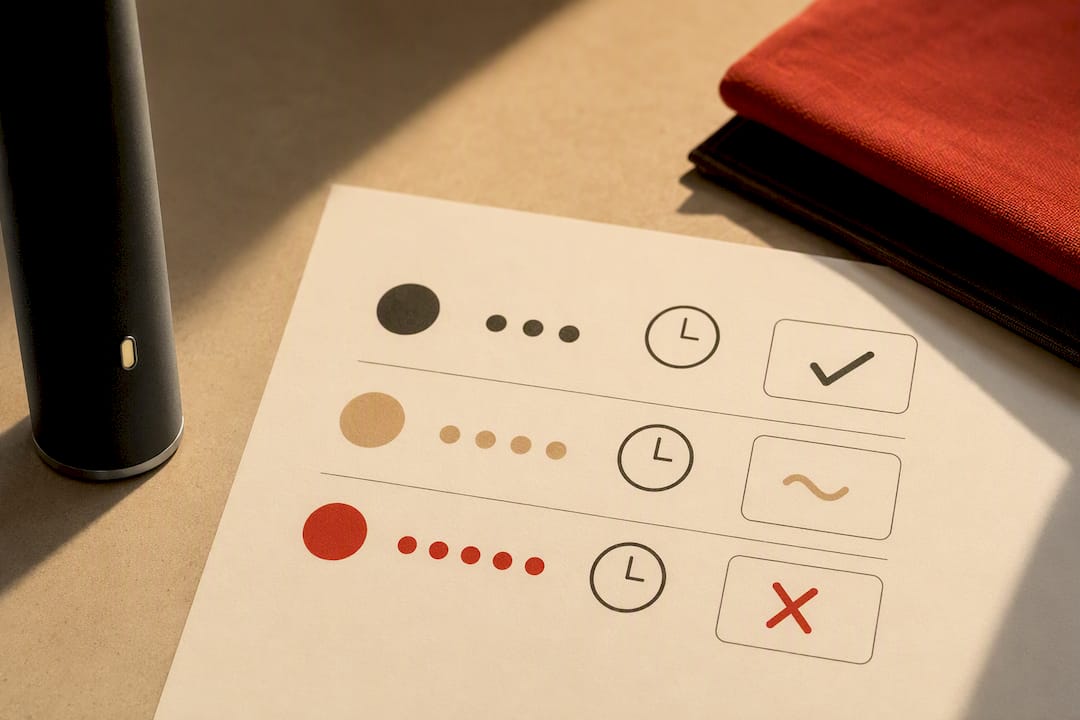
The single most useful piece of information is not how many times the light blinks, but when it blinks. That timing tells you which part of the system to blame.
- Blinking during charging usually points to the charger, the cable, or the charging port rather than the battery’s discharge circuit, since it means the battery isn’t accepting or completing a charge cycle normally.
- Blinking on inhale typically signals a connection issue between the battery and cartridge, a low charge, or a short detected the moment current is asked to flow.
- Blinking on a button press with no inhale often reflects a mode, lock, or low-battery status check rather than an active fault.
- Blinking after a long draw commonly means the device’s automatic shutoff kicked in to prevent overheating, a behavior CCELL describes as a protective cutout rather than a failure. Letting the device cool for a minute and taking shorter draws afterward usually clears it.
Once you’ve noted the timing, run isolation tests to confirm the source. Test the battery alone, without any cartridge attached, and see if it still blinks: a battery that blinks with nothing connected points to an internal fault. Test a cartridge you trust on the battery in question, and separately test the suspect cartridge on a battery you know works. If the battery blinks with every cartridge you try, the battery is the problem. If only one specific cartridge causes blinking on an otherwise fine battery, the cartridge or its coil is likely damaged.
Write down what you observe, meaning the flash count, the color, and the exact moment it happens, before contacting support or digging through a manual. That record is what turns a vague “it’s blinking” into a diagnosis a manufacturer’s support team can actually work with.
When the blinking means the battery should be replaced (and safe disposal)
Some blink patterns point past cleaning and charging toward a battery that has reached the end of its life. Certain signs indicate replacement rather than repair:
- The battery blinks and will not accept a charge at all, even with a confirmed working cable and outlet.
- It dies again within seconds of finishing a full charge cycle.
- It feels warm or hot even when idle, or shows swelling, cracking, or leakage.
- It continues blinking in the exact same pattern even with no cartridge attached and after a full clean.
A battery that blinks while visibly hot, swollen, or leaking should be taken out of use immediately. Manufacturer safety guidance is consistent on this point: a damaged lithium cell should not be repaired or forced back into service, since internal damage that causes swelling or leaking tends to worsen with continued use, according to Innokin’s guidance on 510-thread batteries.
Sealed disposable pens and worn rechargeable cells fall into the same category here: there’s no safe way to open either and replace internal components, so once the cell itself is the problem, the device is done. Dispose of lithium batteries through a local battery or e-waste collection point rather than a regular trash bin, since punctured or crushed lithium cells can ignite. Many hardware stores and municipal waste programs accept small lithium batteries for free; check local guidance before disposing of one.
Preventive care: how to avoid blinking problems in the future
Most blinking issues are avoidable with a few habits built into normal use.
- Clean the threads regularly, not just when something goes wrong. A quick wipe with an isopropyl-moistened swab every few cartridge changes, followed by letting the contacts dry fully, keeps residue from building up in the first place.
- Don’t overtighten the cartridge. Finger-tight is enough. Screwing it down hard can depress the center pin and break the electrical contact even though the cartridge looks and feels secure, a failure mode manufacturer support specifically warns against.
- Avoid vaping while the device is charging, and don’t leave a battery charging unattended for long stretches. Charging under load stresses the cell in ways it isn’t built for.
- Store batteries at room temperature and avoid letting them sit fully discharged for long periods, since deep discharges shorten a lithium cell’s usable life over time.
- Watch for connector wear. A 510 pin that looks bent, sunken, or discolored is a sign the battery is aging out, and continuing to force cartridges onto a worn connector usually makes blinking issues worse, not better.
Pro Tip: Set a reminder to clean your battery’s threads every time you finish a cartridge. It takes fifteen seconds and prevents most of the blinking problems on this list.
How High Fashion Smokes & Prints approaches battery safety and replacements
We publish plain guidance on charging habits, storage, and the warning signs of a failing cell in our vape battery safety guide, built for adult consumers who want a clear answer without digging through a manufacturer’s manual. When a battery shows the damage signs covered above, meaning heat, swelling, or a crack, we recommend replacement over any attempt at repair, since a compromised lithium cell doesn’t get safer with more use. Every cartridge and battery we carry is tested before it reaches a customer, so if troubleshooting points to a cartridge fault rather than the battery itself, replacement is one option worth considering. Our support team can also walk through delivery details for anyone unsure what to order next.
What this troubleshooting process gets wrong in most guides
Most blinking-light guides lead with a chart: count the flashes, match the number, get your answer. That approach breaks down the moment you own a device from a different manufacturer than the one the chart was written for, since the same flash count means different things across brands. The timing of the blink, meaning whether it happens on charge, on inhale, or after a long draw, tells you far more than the count ever will, and it’s the piece most troubleshooting pages bury near the bottom instead of leading with.
The other place conventional advice falls short is disposal. Plenty of guides treat a damaged battery as a problem to be solved with a workaround, a new charger, a firmer twist, a different outlet. A cracked or swollen lithium cell isn’t a puzzle to be cleverer about. It’s a battery that’s done, and the right next step is replacement and proper disposal, not one more attempt to coax it back to life.
— Jake
Need a verified replacement or a tested cartridge?
If troubleshooting points to a battery or cartridge that’s past saving, replacing it doesn’t have to mean guesswork about quality. High Fashion Smokes & Prints carries tested and verified vapes, cartridges, and accessories, alongside disposables for anyone who’d rather skip battery maintenance altogether.

- Browse current vapes and cartridges available for same-day delivery.
- Compare cart systems against disposables if you’re deciding which fits your habits better.
- Read our battery safety guide before your next charge cycle, whether you order from us or not.
Same-day delivery windows vary by borough. Check availability for your address and place an order when you’re ready.
Sources
Guidance drawn from Innokin’s support articles, CCELL, and manufacturer manuals. When in doubt, consult your device’s manual or contact the manufacturer directly.
- Vape Pen Not Working After Charge? Here’s Why
- Hit a blinker…? Why is My Disposable Vape Pen Blinking? – CCELL
- MVP5 – Innokin Support
FAQ
Why does my battery keep blinking even though it’s charged?
A fully charged battery that still blinks usually points to a connection problem rather than a power issue, most often dirty or damaged 510 threads. Clean the contacts with an isopropyl-moistened swab and let them dry fully, then try a cartridge you know works to see if the blinking stops.
Why is my vape blinking but not hitting?
This pattern typically means the battery has detected a short, a poor connection, or has entered a protective shutoff rather than actually failing to produce vapor. Removing the cartridge, cleaning both contact points, and swap-testing with a different cartridge or battery usually reveals which part is at fault.
How can I tell if a 510 battery is broken?
A battery is likely broken if it blinks without a cartridge attached, won’t hold a charge after cleaning and a full charge cycle, or feels hot, swollen, or shows visible cracks. Any of the physical damage signs mean the battery should be replaced and disposed of safely rather than repaired.
My vape pen blinks 10 times. What does this mean and how can I fix it?
Blink counts are not standardized across manufacturers, so a ten-flash pattern on one device can mean something different on another, and there is no single universal answer. Check the exact timing, meaning whether it happens on charge, on inhale, or on a button press, and look up that specific device’s manual or manufacturer support page for its blink code.